
Olden Era Draft Overlay: Faction Win Rates and Opponent Stats in Pick and Ban
By OldenEra.gg Staff · Updated
Before a ranked Classic or Single Hero game, Olden Era runs a pick and ban draft: factions are banned and picked on a map template whose name you only see in the corner of the draft screen. You have seconds to decide, and the game shows you nothing but the faction cards. The OldenEra Companion draws the numbers that matter onto that screen: how each faction does on this template, how it does against each of the others, and how your opponent plays.
Every number comes from the ranked ladder OldenEra.gg tracks, the same data as the Classic faction stats and the tier list. This guide shows where each one appears and how to use them in the draft. If the companion is not installed yet, start with the setup guide.
First, turn on the game's log
The draft features follow the log the game writes on your disk, so they need Read the game's log ticked in the settings (Alt+Shift+O). Leave the folder empty and the companion looks in the usual places; Find the logs shows what it found.
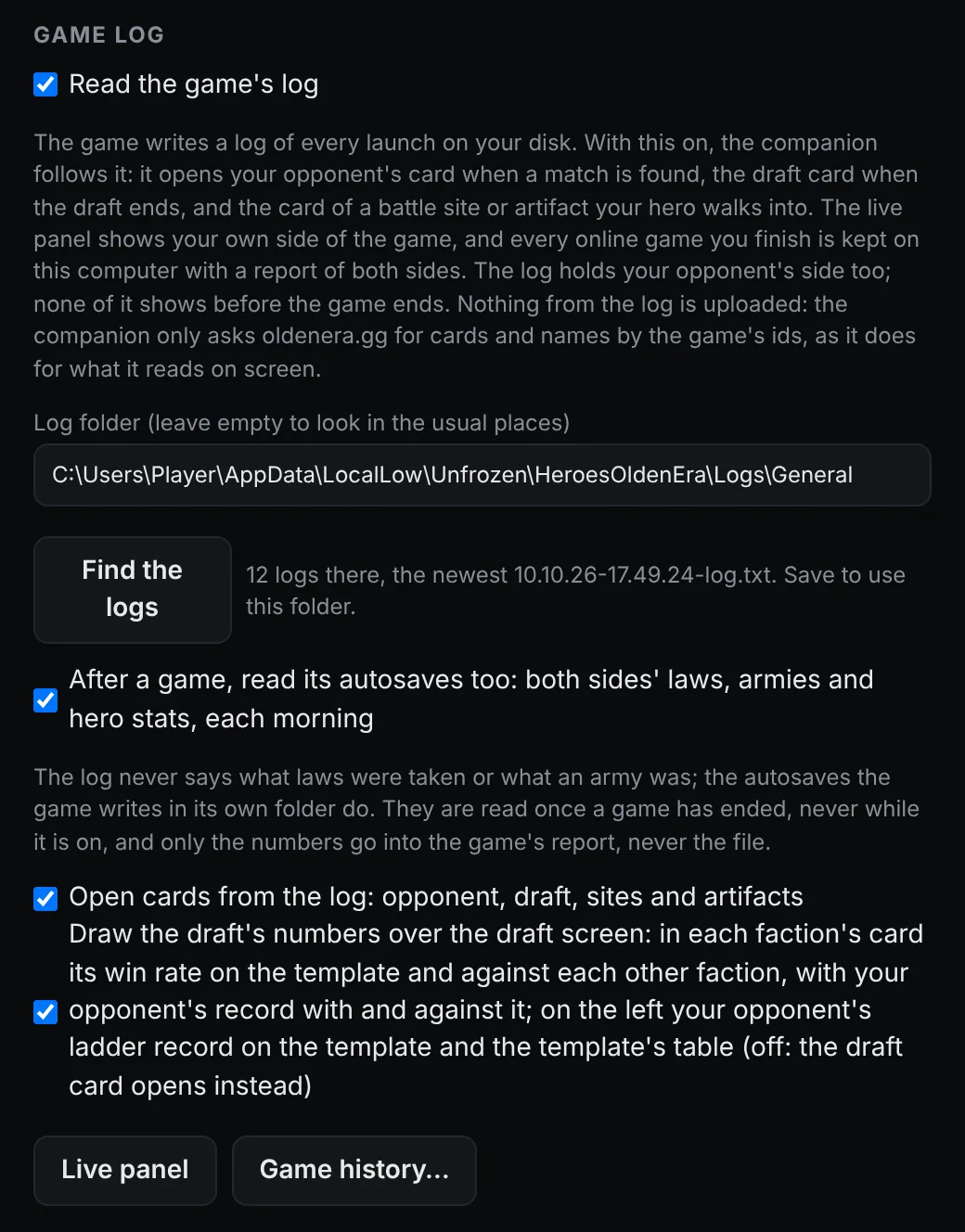
With the log on, the companion knows when a match is found, who your opponent is, and when the draft starts and ends. It uses only your side of the log and what the draft screen shows. Your opponent's side of the game stays hidden until the game is over.
When the match is found: the opponent card
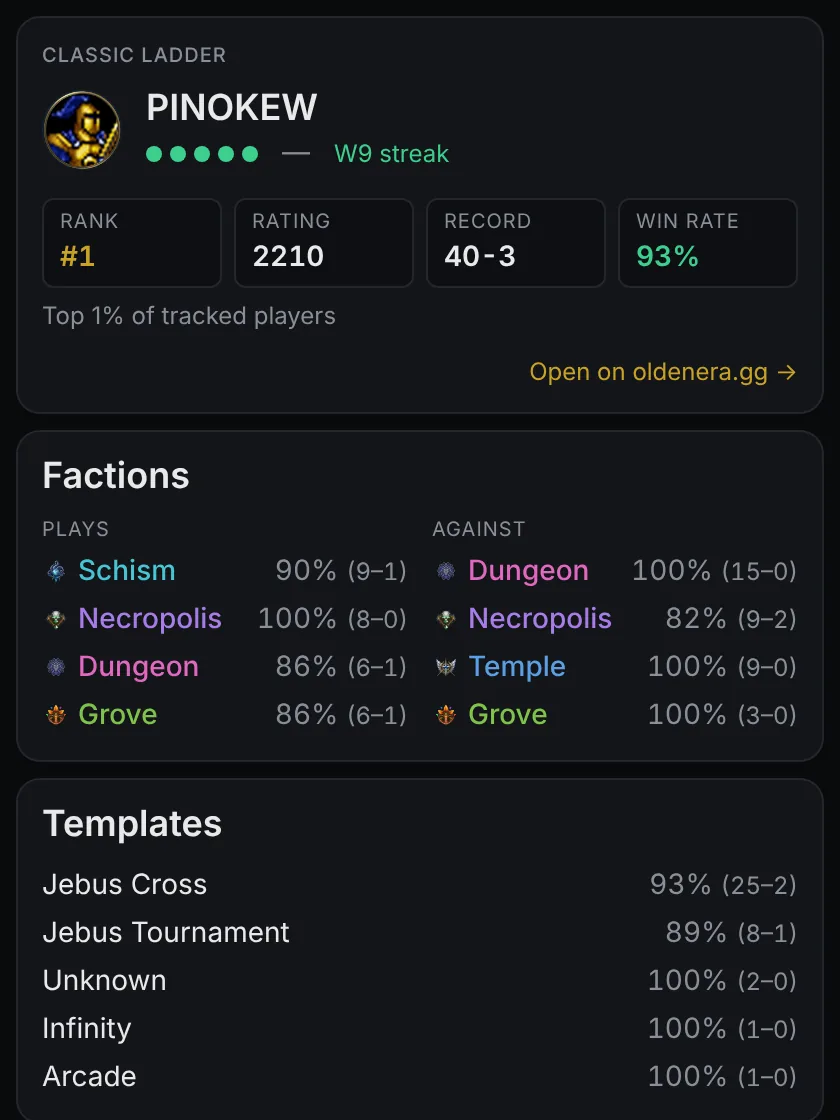
As soon as the game finds you a match, the companion opens your opponent's card. You can open it yourself too: point at a name in the lobby or on the loading screen and press Alt+P. The card shows their rank, rating, record, win rate and recent form, the factions they play and how they do with each, the factions they have beaten, and their record on every template.
The ladder covers the top 200 players of each mode. An opponent below that reads "not on the ladder this season", and you still get the template's numbers in the draft.
During the draft: numbers on the draft screen
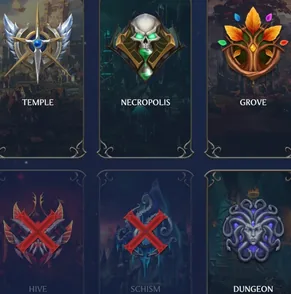
While the step at the top of the draft screen says FACTION, that is while factions are being banned and picked, the companion draws over the game:
- On the left, your opponent: rank, rating and ladder record; their record on this template, and on the other ladder if they play it there too; their record with and against each faction on it and across all templates. Under that, the template's table: every faction's win rate, pick share and games there, from the ladder that plays the template most.
- Inside each faction's card, under its name: its win rate on this template and against each faction still in the draft, with the games behind every number. Numbers from fewer than ten games are dimmed. Under them, in gold, your opponent's record with that faction on this template and against it.
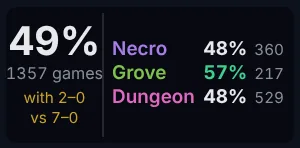
The companion reads the template's name off the bottom-left corner of the draft screen, online and against the AI alike, so the overlay is up about a second after the draft begins. Bans are read off the screen too: a banned faction's name turns grey and its crest is crossed out in red. It loses its block, drops out of the other factions' matchups and moves to the bottom of the table, struck through. On your own ban turn, a card counts as banned only once the turn is over, since your cursor may be resting on a card you have not clicked.
Clicks pass through the overlay to the game, and hover mode waits while it is up. The overlay steps aside for the hero steps and closes when the draft ends. If you would rather keep the draft screen clean, untick Draw the draft's numbers over the draft screen: the draft card below opens instead.
After the draft: the draft card
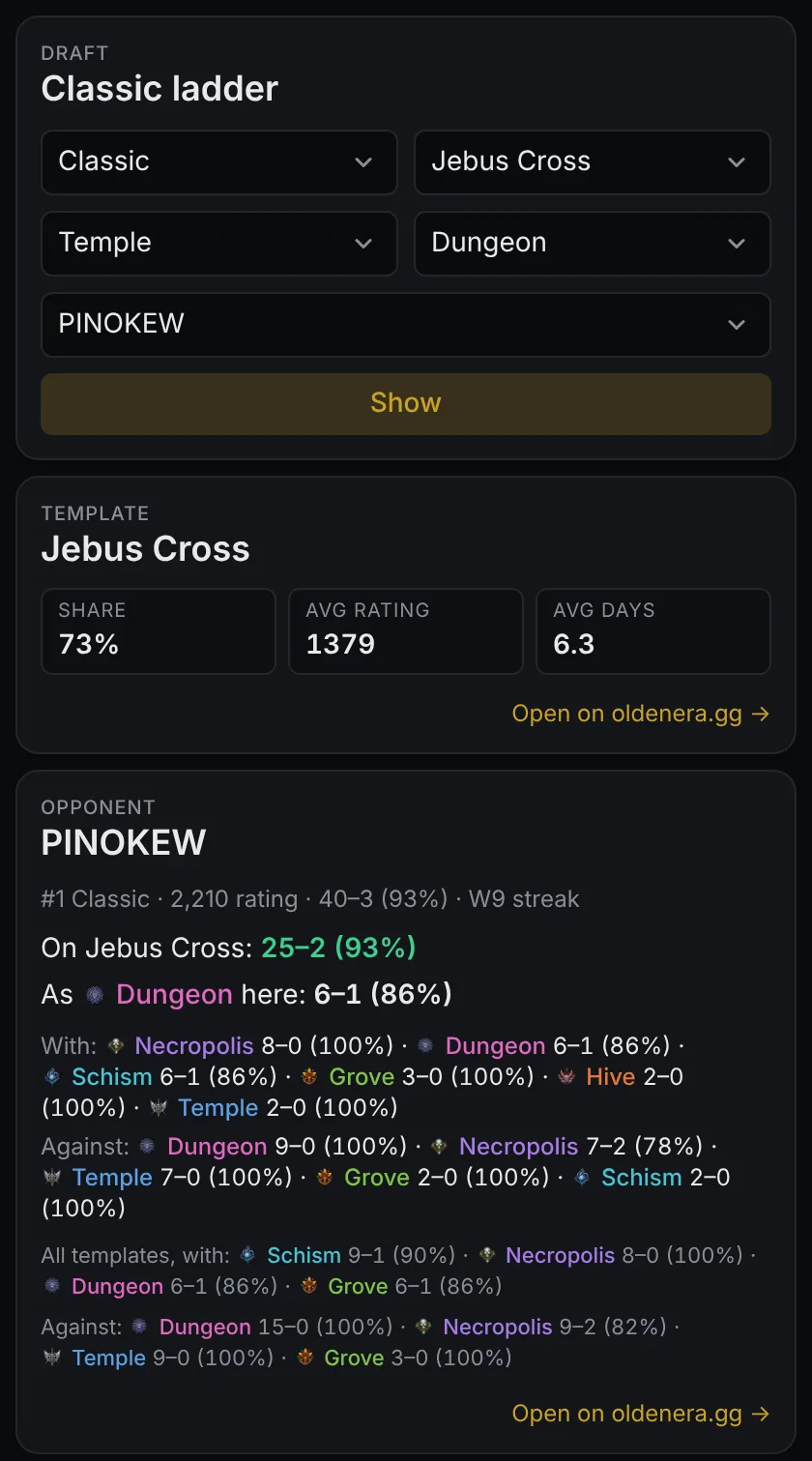
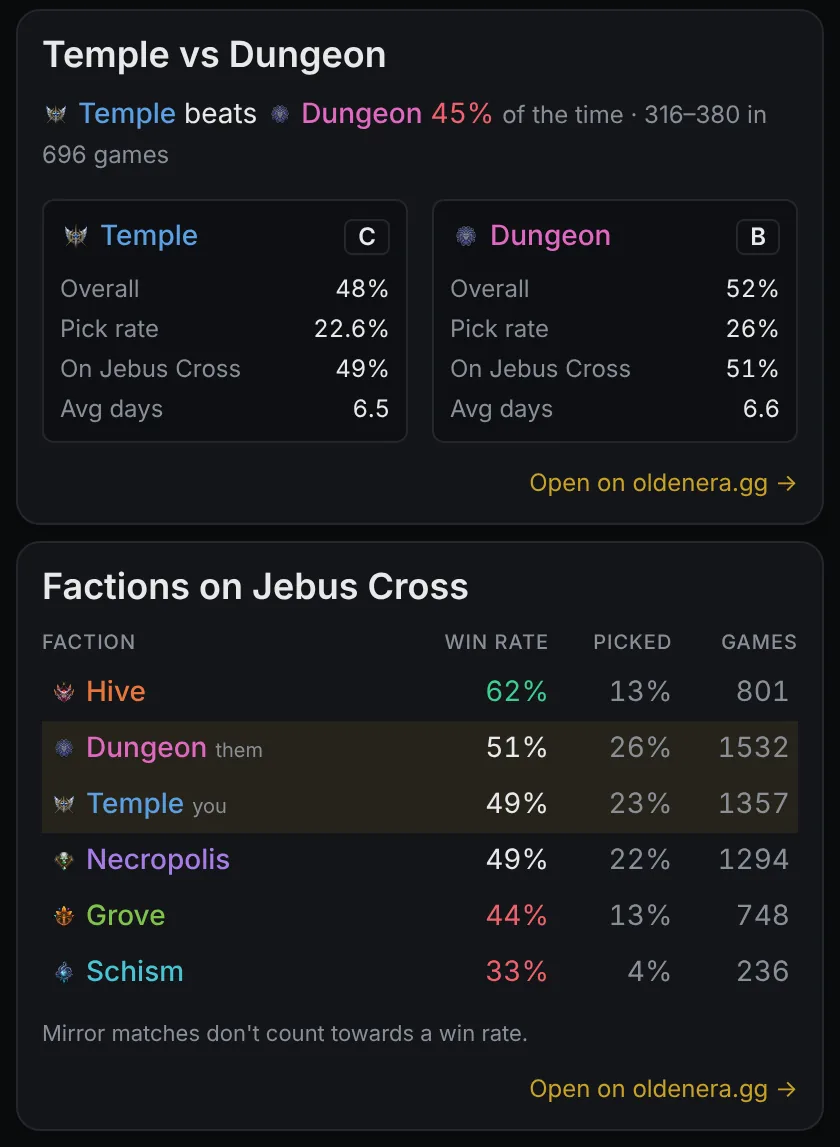
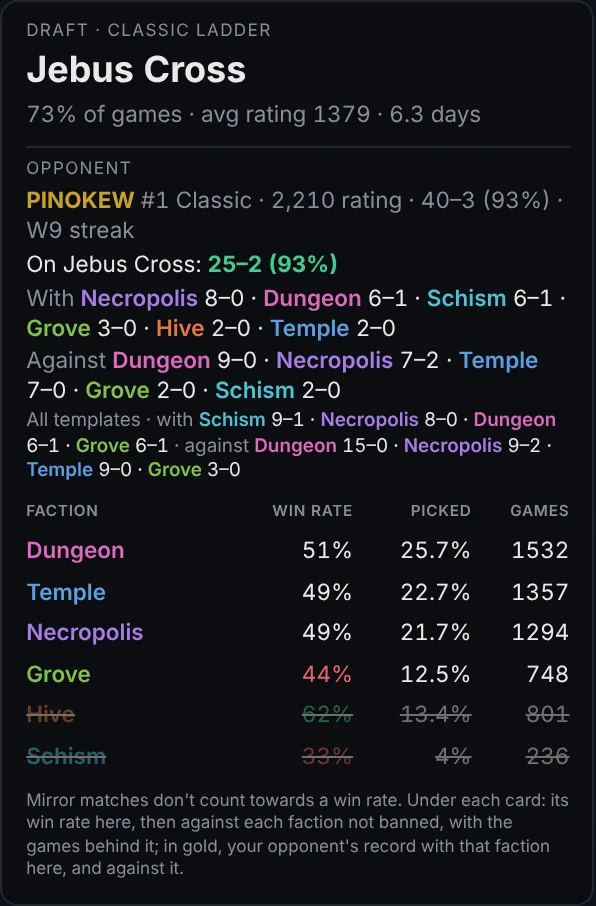
When the draft ends, the companion opens the draft card with the template and both factions filled in. You can open it any time: press Alt+L over a template's name, or type a template into the search page, which is a good way to prepare before you queue. It has four parts:
- The template: its share of the ladder's games, the average rating of the players on it, and how many days a game lasts. Jebus Cross is 73% of Classic games, at an average rating of 1379 and 6.3 days.
- Your opponent on it: 25–2 on Jebus Cross and 6–1 as Dungeon there, in the example, with their records with and against each faction.
- The matchup: how often your faction beats theirs across the ladder (Temple beats Dungeon 45% of the time, 316–380 over 696 games), then each faction's overall win rate, pick rate, win rate on this template, average game length, and its grade from the tier list.
- Every faction on the template, best win rate first, with your faction and theirs highlighted.
A worked example: Temple on Jebus Cross
Say you play Temple, the draft lands on Jebus Cross, and your opponent is the player above. The numbers, as of 21 October 2026:
- The template's table shows Hive winning 62% of its Jebus Cross games over 801 games, while only 13% of picks go to it. If Hive is still in the draft, it is the strongest ban candidate on the table, or the strongest pick if you play it.
- Your opponent's lines say 6–1 as Dungeon on Jebus Cross and 15–0 against Dungeon on every template. Dungeon is clearly a faction they know from both sides.
- The matchup says Temple beats Dungeon 45% of the time on the ladder, and the overlay's block narrows it to 48% over 529 games on Jebus Cross itself. If Dungeon is still open when you pick, that is the matchup you are walking into.
None of this decides for you. It replaces a guess with a number, and tells you how many games stand behind it, in the few seconds the decision takes.
What the numbers are, and what they are not
- They come from ranked games on the ladder OldenEra.gg tracks: the top 200 of each mode, with both players' factions recorded since the 30 September reset. How the Olden Era ranked ladder works explains the rest.
- Arena has no faction numbers, because the game records no factions for Arena games.
- Small samples are dimmed (fewer than ten games), and mirror matches do not count towards a win rate.
- Your opponent's numbers are their public ladder record. Nothing from their side of your game is shown while it is on.
FAQ
Does the draft overlay work against the AI?
The template's numbers do: the companion reads the draft screen the same way online and against the AI. An AI opponent has no ladder record, so there is no opponent block.
Which modes does it cover?
Classic and Single Hero, the ranked modes with a faction draft and recorded factions.
Is it fair to use?
Everything it shows is public: the ladder's records and statistics, and what your own draft screen shows. It reveals nothing about your opponent's game.
Where do the win rates come from?
From the ranked games on the Classic and Single Hero ladders, refreshed as the ladder updates. The map meta has the same games by template.
Related reading
- Olden Era map templates explained: what each ranked template asks of you.
- Which Olden Era faction should you play?: all six factions compared.
- The faction tier list, computed from the ladder's games.